
You stay in control.
Muse Code works in your project. Thalia shows you what it is about to do, asks before what matters, and keeps a record of what you decided.
Ask first.
With Ask first on, Muse checks with you before actions your rules don’t already allow, such as running a command. The card shows the whole command, with newlines and invisible characters made visible.
A compound command shows each step as Step 1 of 3, and a long command or network address must be shown in full before Allow is available. Allow once grants that one request; broader scopes, such as this chat, are offered only where they apply and say what they cover. Deny is always there.
When Ask first is on, for a chat, a project or as the default
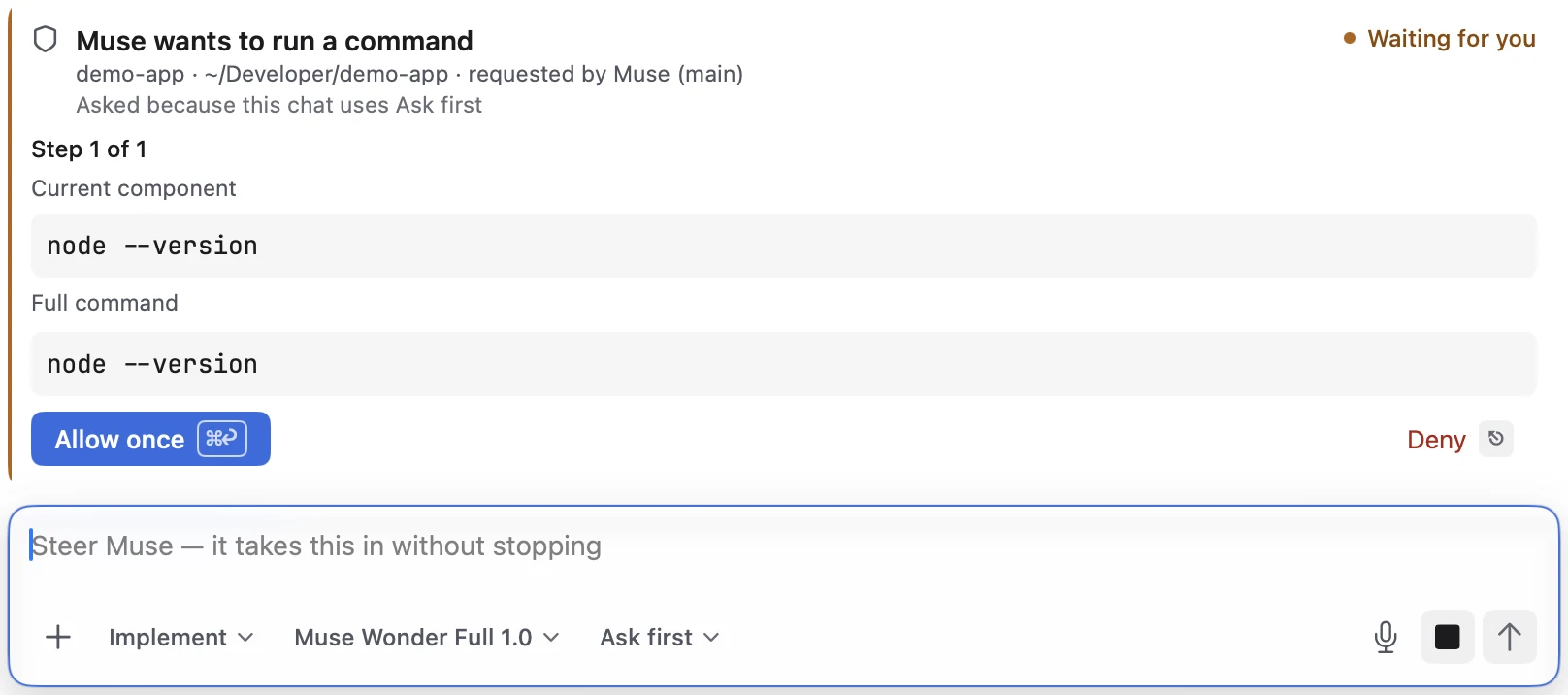
Requests that need approval come to you.
In every permission mode, Muse’s default included, Thalia keeps Muse’s own reviewer off, so a request that needs approval is shown to you instead of being approved on your behalf.
Plan before anything is edited.
Plan mode restarts Muse read-only. It works out the approach and writes the plan; nothing in your project changes until you approve the plan and Muse starts implementing.
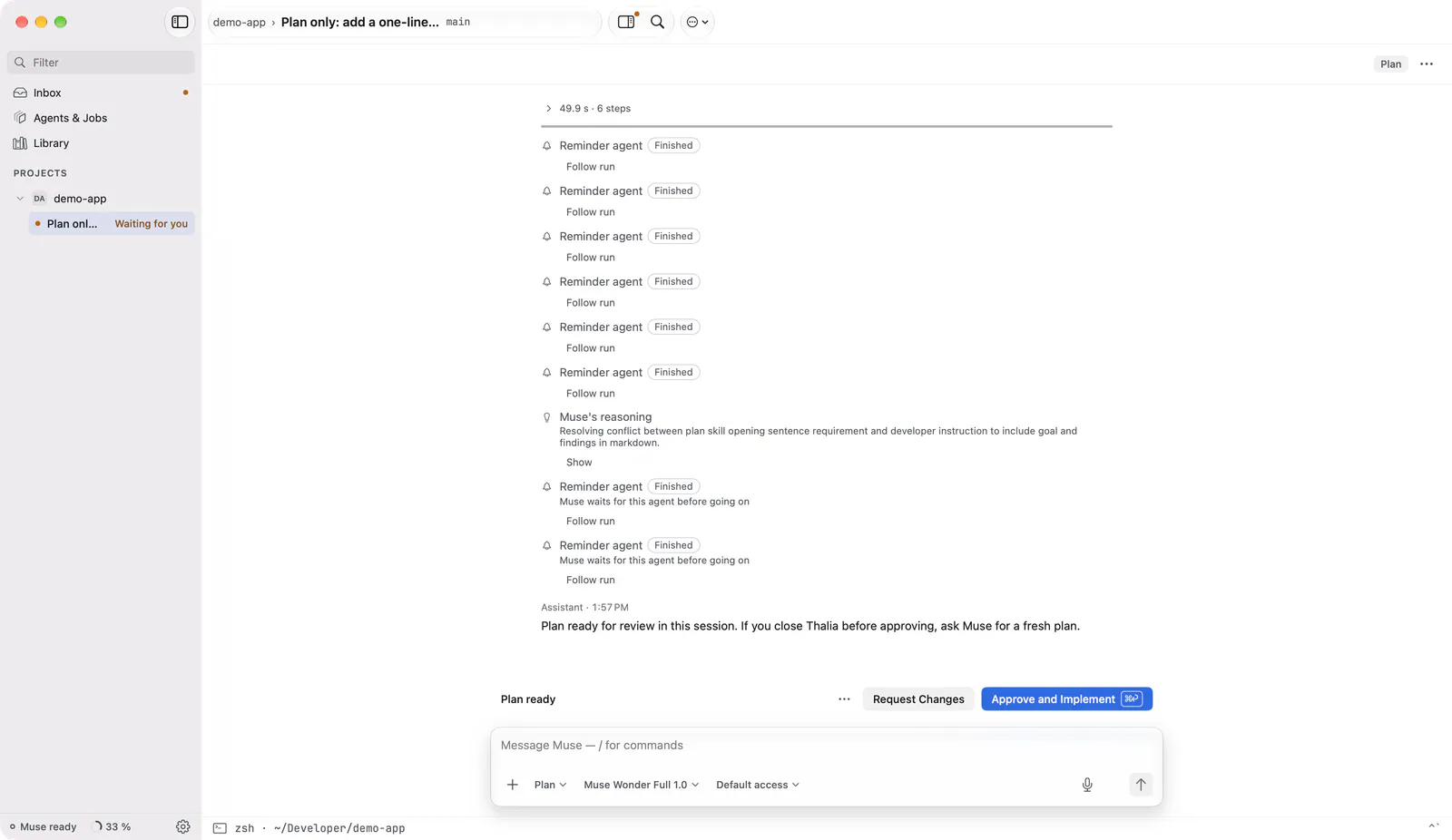
Approve the snapshot you read.
Approving a review records the exact snapshot you looked at. If any file changes afterwards, the approval no longer holds and the snapshot reads stale until you review the current version.
Files Review can’t show in full, such as binary or very large ones, are listed, and approving them asks you to confirm that the approval covers the whole file.
In Git projects

Nothing disappears silently.
Each decision leaves a receipt line in the chat: what was allowed or denied, which plan was approved, when a turn was stopped and how far it got.

Undo, with a preview first.
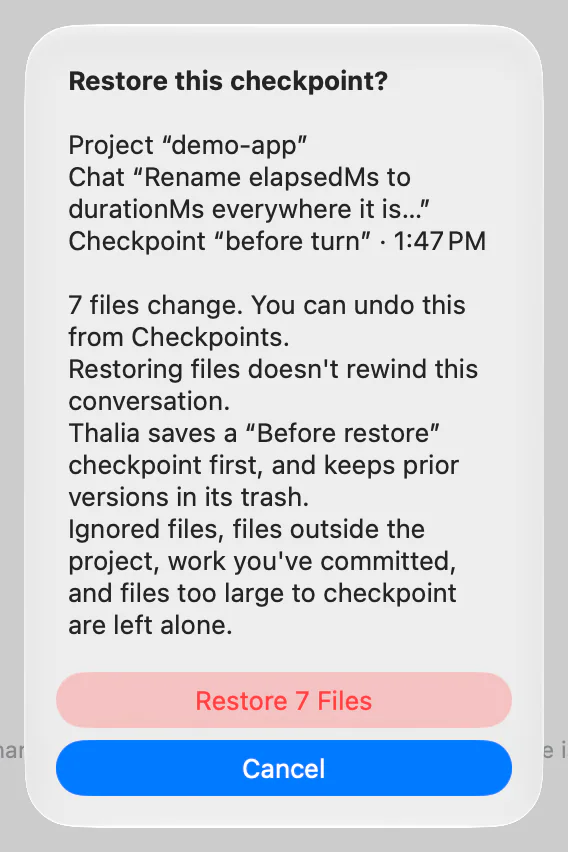
Before a live turn, Thalia tries to save a checkpoint of your uncommitted files. If that fails, the turn still runs, without a rewind point.
Before a restore writes anything, it shows which files come back and which move to Thalia’s trash, where they stay recoverable. It saves a Before restore checkpoint first, won’t run while a turn is writing, and never changes files outside the project. Committed work is never rewound.
Checkpoints help you undo. They aren’t a backup.
In Git projects
Full access, said plainly.
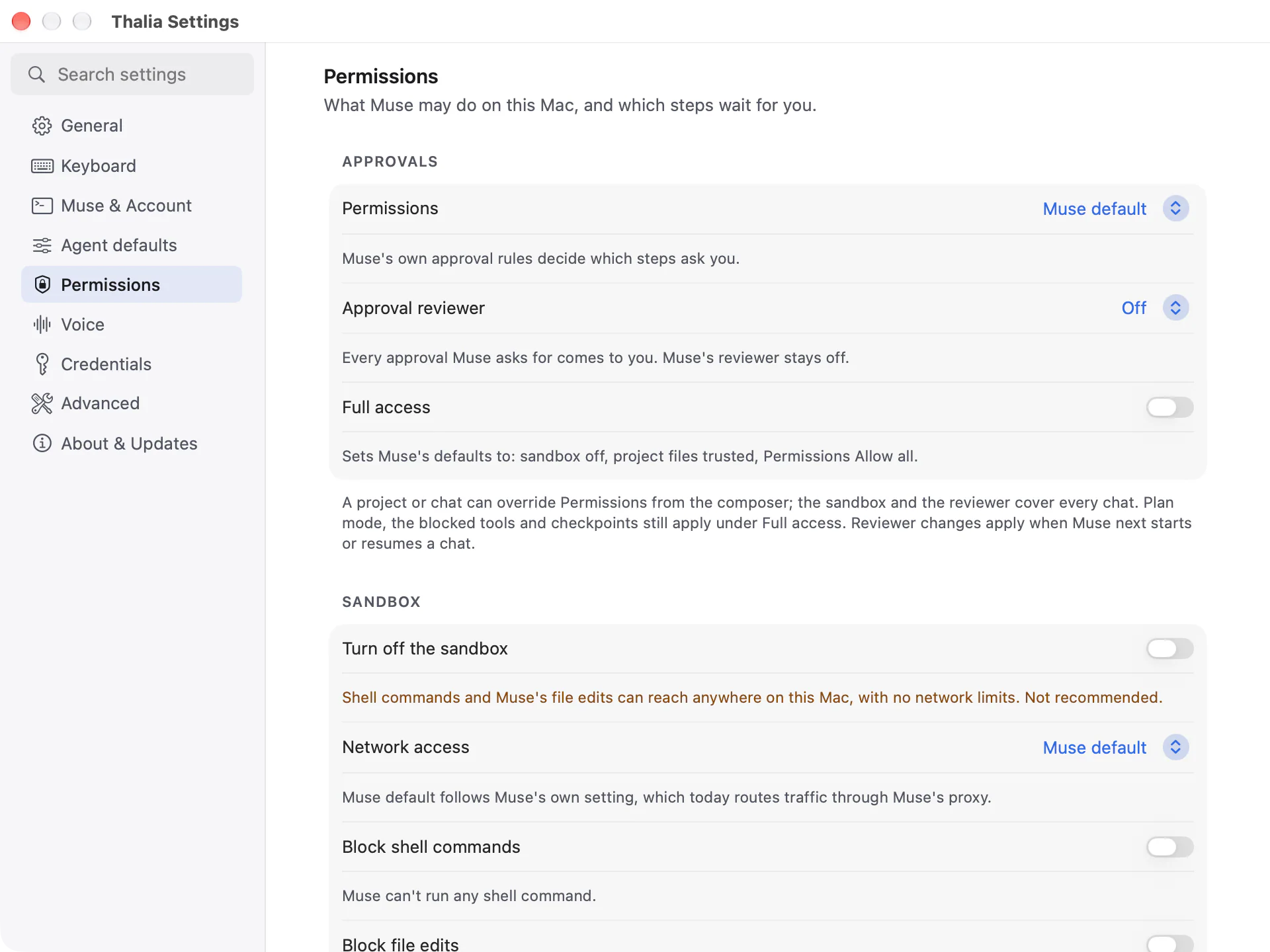
Settings has one switch, Full access, that lets Muse work without asking: it turns the sandbox off, trusts project files, and sets Permissions to Allow all. Turning it on asks you to confirm first, and turning it off puts back what those settings were.
Plan mode, the blocked-tool switches and checkpoints still apply with it on. A chat or project with its own Permissions setting still decides what needs approval there.
The sandbox.
Muse runs commands in its sandbox, which by default lets it edit project files and run routine commands. Thalia’s settings choose its network access (Restricted, through Muse’s proxy, or Open), and turning the sandbox off is a separate choice you confirm. What the sandbox enforces is Muse’s; Thalia sets it and shows you which mode a chat is in.
What goes where.
- On your Mac
- Projects, chats, checkpoints and settings. Connector keys you enter in Thalia, in the macOS Keychain. Diagnostics, only when you ask, with known secrets redacted by default.
- Muse Code CLI, on your Mac
- Thalia hands it your messages and the files the agent reads. If you sign in with an API key, the CLI stores it.
- Meta, under your account
- What the CLI sends, processed under your Meta account (or Model API key) and Meta’s terms.
- The Thalia team
- Nothing. The app sends no analytics, telemetry or usage data.
Limits.
Muse’s output can be wrong. Review changes before you rely on them, and keep backups. Thalia is an independent app that works with Meta’s Muse Code CLI; it is not affiliated with, sponsored by or endorsed by Meta.